Download TikTok Video Without Watermark
Download TikTok videos in high quality and support bulk download by username
- No Watermark & Logo
- HD/4K Video Quality
- Bulk Video Download
- No Installation Required
SSSTikTok - The Best TikTok Video Downloader Without Watermark
SSSTikTok is a powerful TikTok video downloader to save videos without watermark or logo in HD quality. Our tool works directly in your web browser, allowing you to save TikTok videos to Android, iPhone, or PC instantly without any software installation. Not only can you download individual videos, but SSSTikTok also supports bulk downloading by username, letting you download all videos from a profile as a .ZIP file quickly and easily.
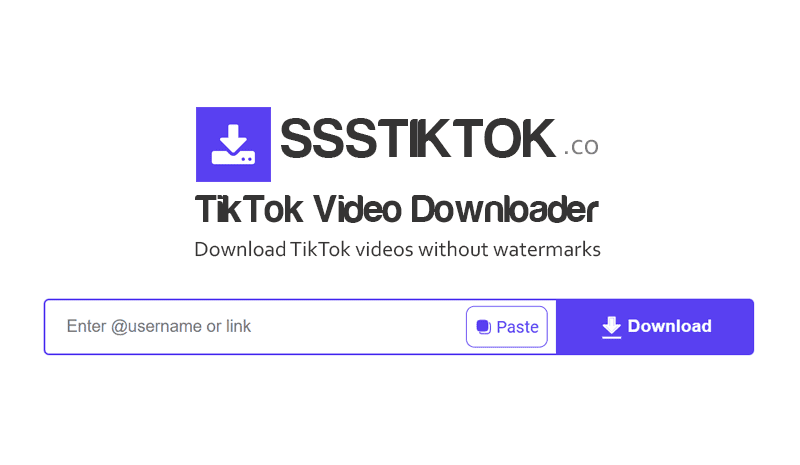
Benefits of downloading TikTok videos with SSSTikTok
- Ultra-fast processing speed: Save any video in HD quality in just a few seconds as SSSTikTok is optimized for maximum efficiency.
- Support bulk downloading: Enter any @username to download all videos from a profile instantly as a single .ZIP file.
- Clean and no watermark: Get original quality videos without any Logo or user ID, perfect for reposting or editing
- Universal compatibility: No app installation needed, SSSTikTok works seamlessly on Android, iPhone, PC, and Mac through any web browser
- Unlimited & Free: Download as many videos as you want without any limits or hidden costs, enjoy our service 100% free forever
- Safe & Secure: No account login required, we respect your privacy and do not store any personal data or download history
How to download TikTok videos without watermark:
- Step 1: Open the TikTok app, choose the video you love, then tap Share and select Copy Link.
- Step 2: Go to SSSTikTok.co, paste the link into the search box, and press the Download button.
- Step 3: Select your preferred quality (HD or Full HD) and the video will be saved to your device instantly without any watermarks.
Download all videos from a TikTok profile in bulk
- Step 1: Simply paste the profile URL or enter the @username into the input field.
- Step 2: Our system will quickly analyze the channel and display all available videos.
- Step 3: You can download individual videos separately or simply press the Download All button.
This is the ultimate solution for content backup, profile migration, or keeping a permanent copy of the content from your favorite creators.
When do you need to use SSSTikTok:
- ✅ Offline viewing: Save your favorite videos to watch anytime without internet even on planes, in remote areas, or simply to save mobile data
- ✅ Cross-platform sharing: Download high-quality TikTok videos without watermark to repost on Instagram, YouTube, or WhatsApp
- ✅ Archiving & Backup: Keep a permanent copy of creative content before it gets deleted or removed from the platform
- ✅ Editing & Reuse: Use downloaded videos as high-quality material for study, research, mashups, or creative editing projects
Legal Disclaimer
SSSTikTok.co is an independent platform and does not have any official affiliation with TikTok or ByteDance. This tool supports users in downloading publicly available video content for storage based on the links provided by the user.
We do not host, store, or monitor any video files on our infrastructure. Respecting intellectual property and TikTok's terms of service is your responsibility; please ensure you have the necessary rights before sharing or using downloaded content.
Frequently Asked Questions (FAQ)
Is it free to download TikTok videos on SSSTikTok?
- Our service is 100% free and will always stay that way. You can download as many videos as you like without any hidden charges or the need to create an account. SSSTikTok provides a premium experience at no cost for all users worldwide.
Can I download TikTok videos in HD quality without watermark?
- Absolutely. SSSTikTok supports downloading videos in original high resolution (HD, Full HD) and completely removes all logos and watermarks. You will get a clean, high-quality video file ready for professional editing or offline viewing anywhere.